Oral microbiome sequencing after taking probiotics

Recently, a friend recommended BioGaia Prodentis to me. It is a DTC oral probiotic you can buy online that is supposedly good for oral health. I thought it would be interesting to do some sequencing to see what, if anything, it did to my oral microbiome.

BioGaia Prodentis is available online for $20 or less for a month's supply

BioGaia

BioGaia has a fascinating story. They are a Swedish company, founded over 30 years ago, that exclusively sells probiotics DTC. They have developed multiple strains of Limosilactobacillus reuteri, mainly for gut and oral health. They apparently sell well! Their market cap is around $1B—impressive for a consumer biotech.

Going in, I expected scant evidence for any real benefits to their probiotics, but the data (over 250 clinical studies) is much more complete than I expected.

Most notably, their gut probiotic, Protectis, seems to have a significant effect on preventing Necrotizing Enterocolitis (NEC) in premature babies. According to their website:

5-10% of the smallest premature infants develop NEC, a potentially lethal disorder in which portions of the bowel undergo tissue death.

In March 2025, the FDA granted Breakthrough Therapy Designation to IBP-9414, an L. reuteri probiotic developed by BioGaia spinout IBT.

This is not specifically for the oral health product, but it's for sure more science than I expected to see going in.

Prodentis

BioGaia Prodentis contains two strains of L. reuteri: DSM 17938 and ATCC PTA 5289. The claimed benefits include fresher breath, healthier gums, and outcompeting harmful bacteria.

Sequencing with Plasmidsaurus

Many readers will be familiar with Plasmidsaurus. Founded in 2021, the team took a relatively simple idea: use massively multiplexed Oxford Nanopore (ONT) to offer complete plasmid sequencing with one day turnaround for $15, and scaled it. Plasmidsaurus quickly became part of biotech's core infrastructure, and spread like wildfire. It also inspired multiple copycats.

Compared to Illumina, ONT is faster and has much longer reads, but lower throughput and lower accuracy. This profile is a great fit to many sequencing problems like plasmid QC, where you only need megabases of sequences, but want an answer within 24 hours.

Over time, Plasmidsaurus has been adding services, including genome sequencing, RNA-Seq, and microbiome sequencing, all based on ONT sequencing.

Plasmidsaurus accepts many kinds of sample for microbiome sequencing

I used their 16S sequencing product, which costs $45 for ~5000 reads, plus $15 for DNA extraction. 16S sequencing is an efficient way to amplify and sequence a small amount of DNA (the ubiquitous 16S region) and be able to assign reads to specific species or even strains.

This experiment cost me $240 for four samples, and I got data back in around a week. It's very convenient that I no longer have to do my own sequencing. As a side note, you can pay more for more than 5000 reads, but unless you want information on very rare strains (<<1% frequency), this is a waste of money.

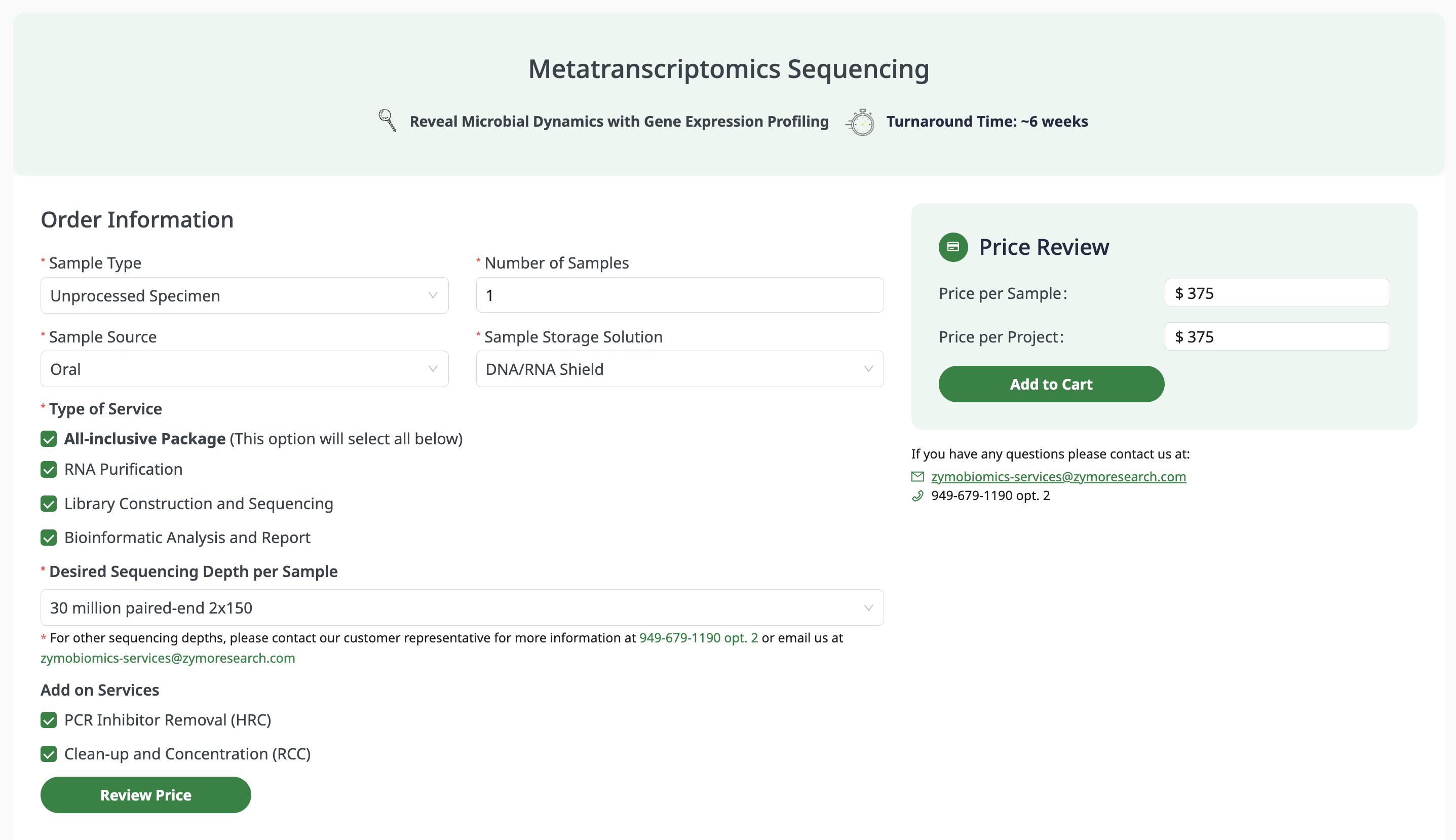
Sample collection is simple: take 100-250 µL of saliva and mix with 500 µL of Zymo DNA/RNA Shield (which I also had to buy for around $70.) You also need 2 mL screwtop tubes to ship in.

The reads are high quality for nanopore sequencing, with a median Q score of 23 (99%+ accuracy). This is more than sufficient accuracy for this experiment. The read length is very tightly distributed around 1500 nt (the length of a typical 16S region).

The results provided by Plasmidsaurus include taxonomy tables, per-read assignments, and some basic plots. I include a download of the results at the end of this article, as well as the FASTQ files.

The experiment

The main idea of the experiment was to see if any L. reuteri would colonize by the end of 30 days of probiotic use, and if so, whether it would persist beyond that. I collected four saliva samples:

Sample Timing Description
Baseline A Day -4 A few days before starting BioGaia
Baseline B Day -1 The day before I started BioGaia
Day 30 Day 30 The last day of the 30 day course
Week after Day 37 One week after completing the course

Did L. reuteri colonize?

There was no L. reuteri found in any of the samples.

The probiotic either (a) didn't colonize the oral cavity; (b) was present only transiently while actively taking the lozenges; (c) was below the detection threshold.

Probiotics are generally bad at colonizing, which is why you have to keep taking them. Still, I was surprised not to see a single L. reuteri read in there.

What actually changed?

Even though the probiotic itself didn't show up, the oral microbiome did change quite a lot.

The most striking change was a massive increase in S. salivarius. S. salivarius went from essentially absent to ~20% of my oral microbiome on the last day. However, this happened one week after I stopped taking the probiotic, so it's very unclear if it is related.

Sample S. mitis S. salivarius
Baseline A 2.0% 0.4%
Baseline B 15.9% 0.0%
Day 30 10.2% 0.8%
Week after 1.0% 19.3%

We see S. mitis decreasing as S. salivarius increases, while the total Streptococcus fraction stayed roughly stable. It's possible one species replaced the other within the same ecological niche.

S. salivarius is itself a probiotic species. The strain BLIS K12 was isolated from a healthy New Zealand child and is sold commercially for oral health. It produces bacteriocins that kill Streptococcus pyogenes (strep throat bacteria).

At the same time, V. tobetsuensis increased in abundance from 2.1% to 5.7%. Veillonella bacteria can't eat sugar directly—they survive by consuming lactate that Streptococcus produces. The S. salivarius bloom is plausibly feeding them.

Are these changes real or intra-day variation?

There was a lot more variation in species than I expected, especially comparing the two baseline samples. In retrospect, I should have taken multiple samples on the same day, and mixed them to smooth it out.

However, there is some light evidence that the variation I see is not just intra-day variation. Specifically, there are several species that stay consistent in frequency across all samples: e.g., Neisseria subflava, Streptococcus viridans, Streptococcus oralis.

Conclusions

  • L. reuteri didn't detectably colonize my mouth. Oral probiotics are surprisingly difficult to detect, even if you sample the same day as dosing.
  • S. salivarius increased massively in abundance, but this increase happened after I stopped taking BioGaia
  • Microbiome sequencing can be used to assess oral health. None of the "red complex" bacteria (P. gingivalis, T. forsythia, T. denticola) associated with gum disease were found in any sample.
  • The oral microbiome is dynamic, with huge swings in species abundance over a timeframe of just weeks
  • Microbiome sequencing is very easy and convenient these days thanks to Plasmidsaurus
  • Prodentis tastes good, may help with oral health, and I'd consider taking it again

Data


Using Claude Code for computational biology

People are very excited about Anthropic's new Opus 4.5 model, and I am too. It is arguably the first coding model that can code continuously for hours without hitting a wall, or entering a doom loop (continually producing the same bugs over and over.)

Opus 4.5 has crossed a threshold where it has led to what appears to be a permanent change in how I work, so I wanted to write up a short article on this, with a real-world example.

For software engineers, it's obvious how coding agents help: they write code for you. For computational scientists, writing code is one step of many: you read papers, download tools and data, log the steps and parameters of the experiment, plot results and write it all up. This is where agents like Claude Code shine.

Claude Code

There are two main ways to use Opus 4.5: in the Claude chat interface, just like ChatGPT etc., or as an agent in Claude Code. The difference is that an agent is a program running on your computer: it doesn't just produce text, it can run arbitrary commands in the terminal on your behalf.

With Opus 4.5, Claude Code is good enough that it is starting to become my primary interface to the terminal, not just my primary interface to code. This is a little hard to explain, but I will show a real-life example from my own work that hopefully illustrates the point.

You can categorize the eras kind of like self-driving cars. The first era, with zero AI, ended just a few years back, and I now feel like I am now on era four. Things are progressing quickly!

  1. Manual: I write code; I run code; I review output (most of my career!)
  2. Copilot: I co-write code with AI (e.g., in an IDE like Cursor); I run code; I review output
  3. Human-in-the-loop: Claude Code (CC) writes code; I read code to check it; I run code; I review output
  4. Agent: CC writes code; CC runs code; CC and I review output
  5. Teams of agents: A team of CC agents write code, run code and review output over multiple hours; they contact me when they need input
  6. Autonomous: A team of CC agents work collaboratively and never need my input??

Adding ipSAE to af2rank

The task here is to add the ipSAE statistic to my af2rank modal app in the biomodals repo. The details don't matter too much, but ipSAE is a popular method of scoring protein–protein interactions—for example it is used in the recent Nipah protein design competition from Adaptyv—and there is a reference implementation on github.

Below are my two(!) prompts to Claude, abridged responses from Claude, and the final result. The full transcript is long so I have included it at the end of the post. There you can see more of the warts and debugging, and how much the model does besides just write code.

[Me] >clone the https://github.com/DunbrackLab/IPSAE repo, extract the ipsae scoring function, and add it to the af2rank modal app

[Claude clones the IPSAE github repo, finds the relevant files, reads the code, finds my modal_af2rank.py file, reads it, and updates it]

[Me] >ok test the repo to make sure it works using a test pdb file as in the docstring; then run ipsae and compare the results to make sure the calculation is correct

[Claude downloads a test pdb file, runs the modal app, learns how to run the reference IPSAE code, debugs several issues, and finally produces a working implementation, which it validates by checking the results against the reference. Finally it summarizes all it did.]

[Claude]
⏺ Now all scores match:

  Final Comparison:

  | Metric        | Our Implementation | Original IPSAE |
  |---------------|--------------------|----------------|
  | A→B ipSAE     | 0.2760             | 0.2760 ✅      |
  | B→A ipSAE     | 0.2862             | 0.2862 ✅      |
  | A-B_max ipSAE | 0.2862             | 0.2862 ✅      |
  | A→B LIS       | 0.2998             | 0.2998 ✅      |
  | B→A LIS       | 0.2206             | 0.2206 ✅      |
  | A-B_max LIS   | 0.2602             | 0.2602 ✅      |
  | pDockQ        | 0.1476             | 0.1476 ✅      |
  | A→B pDockQ2   | 0.1612             | 0.1612 ✅      |
  | B→A pDockQ2   | 0.1289             | 0.1289 ✅      |

⏺ All IPSAE scores now match exactly between our implementation and the original IPSAE script.

  Summary of changes made to modal_af2rank.py:

  1. Added IPSAE scoring functions (lines 66-260):
    - ptm_func() / ptm_func_vec() - PTM-like scoring
    - calc_d0() - TM-score d0 normalization
    - calc_ipsae_scores() - Computes ipSAE, pDockQ, pDockQ2, and LIS for all chain pairs
  2. Modified _get_score() to compute IPSAE scores for multimer models
  3. Added CLI parameters --pae-cutoff (default 10.0) and --dist-cutoff (default 8.0)
  4. Added PAE export for external comparison (af2_scores.json and *_predicted.pdb)

Full disclosure, I have previously asked Claude Code to do this exact task before, just in a different codebase, and that time it actually went smoother. I posted that on twitter, and then thought it might make for an interesting post on the blog.

This time it was not quite as slick, but this represents a more realistic example of my typical Claude Code interactions. The path was circuitous, but it got there in the end, with zero intervention on my part. The final result is functional but overwrought.

Conclusions

I don't test all the models all the time, but Opus 4.5 is the first model I've used that can keep context and make linear progress like this, and others seem to agree. I should also note I pay $200 per month for Claude Code access, but there are lower tiers. OpenAI and Gemini both have tools similar to Claude Code. There are also cheaper but workable Chinese models like Qwen. If these are not as good as Opus 4.5 today, they will be very soon.

People are often concerned with AIs writing "slop" code, meaning poor quality or unmaintainable code. Honestly I'm not totally sure I should care about that any more? If it is maintainable by Claude, that might be all that matters.

This workflow is powerful for software, but in software you probably have to care more about maintainability and consistency. Specifically, the crux may be if a team of people is working on the same code. There are definitely examples online of software teams trying out agents, but then reverting back to no AI for this reason. Even fully AI-pilled experts like Karpathy find full vibe-coding a poor fit for many kinds of code.

I would argue these agents are a better fit for scientific code because it's usually not the code that matters but the insight. If you can test ten hypotheses in a day instead of one, or if a scientist with no deep learning experience can now finetune a model themselves, the maintainability of the code, or even the language the code is written in, matters much less.

The relationship here is more like PI–student, and in general a PI would not look at code, but would ask questions to make sure it's working as intended. You can talk to Claude in the same way ("did you check this?", "did you read this paper?").

I have started doing projects from start to finish like this, never leaving Claude Code, and that includes writing up all the steps (which is tedious work), and detailing the results. It's not always faster or better, screws up frequently, and you have to learn how to handle "context"—i.e., not overloading Claude with too much information—but it is powerful in a very compelling way. Even though it's only been a couple of weeks, it's the way I now kickstart any new project and I can't see going back.

Claude Code transcript

>clone the https://github.com/DunbrackLab/IPSAE repo, extract the ipsae scoring function, and add it to the af2rank modal app
⏺ Bash(git clone https://github.com/DunbrackLab/IPSAE.git)
⏺ Read(modal_af2rank.py)
⏺ Bash(ls -la IPSAE/)
⏺ Read(IPSAE/ipsae.py)
⏺ Now I understand both files. The IPSAE script is a comprehensive scoring function for protein-protein interactions that calculates ipSAE, pDockQ, pDockQ2, and LIS scores. I need to extract the core scoring logic and integrate it into the af2rank modal app.
⏺ Read(IPSAE/README.md)
⏺ Now I understand the IPSAE scoring. For AF2Rank, I need to extract the key calculations:
  - ipSAE: Interface predicted scoring using PAE with cutoff
  - pDockQ: Based on pLDDT and contact counts
  - pDockQ2: Based on PAE values at interface
  - LIS: Local Interaction Score
  The key insight is that AF2Rank already calculates PAE and pLDDT, so I can add IPSAE scoring using those values. Let me create a clean implementation that works with the ColabDesign output.
⏺ Update(modal_af2rank.py)
⏺ Now I need to update the _get_score method and the run_af2rank function to compute and include IPSAE scores. Let me first look at how to extract the necessary information from the ColabDesign model:
⏺ Read(modal_af2rank.py)
⏺ I see that the model has access to all_atom_positions which includes CA (index 1) and CB (index 3) positions. I also see that score["pae"] is scaled by 31.0 from the model output. To compute IPSAE scores, I need to:
  1. Get the PAE matrix (unscaled, as angstroms)
  2. Get pLDDT per residue
  3. Get CB coordinates
  4. Get chain assignments
  The challenge is getting chain information. For multimer models, this should be stored in the model. Let me modify _get_score to compute IPSAE when using multimer:

⏺ Now I need to update the predict method to pass through pae_cutoff and dist_cutoff parameters:
⏺ Now I need to update the call to _get_score() in the predict method to pass the cutoffs:
⏺ Now I need to update the run_af2rank function to add the pae_cutoff and dist_cutoff parameters and pass them through:
⏺ Now let me also update the local entrypoint to add these parameters:
⏺ Now I need to check if the pLDDT is stored as per-residue array in the model. Let me look at how pLDDT is handled in the af2rank class - I see it converts score["plddt"] to a scalar. For IPSAE we need the per-residue array. Let me check the ColabDesign aux output more carefully:
⏺ Now let me also add IPSAE scores to the print output:
⏺ The JSON serialization may have issues with numpy arrays in the score dictionary. Let me check the results saving and ensure the ipsae scores are properly serialized
⏺ I need to add a custom JSON encoder for numpy types:
⏺ Here's a summary of the changes made to modal_af2rank.py:

  Added IPSAE scoring to AF2Rank:

  1. New scoring functions (lines 66-260):
    - ptm_func() / ptm_func_vec() - PTM-like scoring function
    - calc_d0() - TM-score d0 normalization
    - calc_ipsae_scores() - Main function computing ipSAE, pDockQ, pDockQ2, and LIS scores for all chain pairs
  2. Modified _get_score() (lines 437-510):
    - Added pae_cutoff and dist_cutoff parameters
    - For multimer models, extracts per-residue pLDDT, PAE matrix, CB coordinates, and chain assignments
    - Calls calc_ipsae_scores() and adds results to score dict
  3. Modified predict() (lines 507-628):
    - Added pae_cutoff and dist_cutoff parameters
    - Prints IPSAE scores when verbose
  4. Modified run_af2rank() and main():
    - Added pae_cutoff (default 10.0) and dist_cutoff (default 8.0) CLI parameters
    - Added JSON serialization helper for numpy types

  Usage with multimer:
  uv run modal run modal_af2rank.py --input-pdb complex.pdb --model-name "model_1_multimer_v3" --chains "A,B"

  The IPSAE scores will be computed automatically for multimer models and included in the results.json output.

> ok test the repo to make sure it works using a test pdb file as in the docstring; then run ipsae and compare the results to make sure the calculation is correct
⏺ Bash(wget -q https://files.rcsb.org/download/4KRL.pdb -O 4KRL.pdb && head -50 4KRL.pdb)
⏺ Bash(uv run modal run modal_af2rank.py --input-pdb 4KRL.pdb --model-name "model_1_multimer_v3" --chains "A,B" --run-name test_ipsae 2>&1) timeout: 10m 0s
⏺ It ran successfully! The IPSAE scores show 0.0 which seems suspicious - all scores are zero. Let me check the results and also run the original IPSAE script to compare:
⏺ The PAE is 3.38 which is good (low is better), but the IPSAE scores are all zeros. The problem is likely that I'm computing IPSAE from the PAE matrix incorrectly - the PAE matrix values from ColabDesign might already be scaled differently, or the chain assignments might be wrong.
⏺ Read(modal_af2rank.py)
⏺ Let me look at the _get_score method where the IPSAE calculation happens:
⏺ Read(modal_af2rank.py)
⏺ The issue is that self.model.aux["pae"] might be a scalar (the mean PAE), not the full matrix. Let me add some debug output to understand what's happening:
⏺ Bash(uv run --with modal==1.2.1 modal run modal_af2rank.py --input-pdb 4KRL.pdb --model-name "model_1_multimer_v3" --chai…) timeout: 10m 0s
⏺ The PAE matrix values are way too high: min=23.25, max=893.24. This is way above any reasonable PAE cutoff. The issue is that I'm multiplying by 31 but the values are already in some other scale. The
  score["pae"] in the log shows 3.379 which is the mean - so the raw matrix values must already be in angstroms or a different scale.

  Looking at the original code in _get_score:
  score["pae"] = 31.0 * score["pae"]  # This converts the scalar log value

  But the raw self.model.aux["pae"] matrix might not need the 31x scaling. Let me check:

⏺ Bash(uv run --with modal==1.2.1 modal run modal_af2rank.py --input-pdb 4KRL.pdb --model-name "model_1_multimer_v3" --chai…) timeout: 10m 0s
⏺ Now we get non-zero IPSAE scores:
  - A-B: ipSAE=0.2760
  - B-A: ipSAE=0.2862
  - A-B_max: ipSAE=0.2862

  The PAE matrix now has reasonable values: min=0.75, max=28.81 angstroms. Let me remove the debug output and then run the original IPSAE script to compare:
⏺ Update(modal_af2rank.py)
⏺ Now let me run the original IPSAE script. First I need to save the PAE matrix from af2rank to a JSON file that IPSAE can read. But wait - the IPSAE script expects AlphaFold output files (PAE JSON + PDB). We're running AF2Rank which uses ColabDesign internally.

  Let me check what we can do - we need to either:
  1. Export the PAE matrix and pLDDT from af2rank to files IPSAE can read
  2. Or run an actual AlphaFold prediction on 4KRL and then compare

  Actually, the simplest approach is to save the PAE matrix and pLDDT from af2rank and run the IPSAE calculation on those. Let me modify the run_af2rank function to also save the PAE and pLDDT data:
⏺ Read(modal_af2rank.py)
⏺ Let me add PAE matrix export to the run_af2rank function so we can compare with the original IPSAE script:
⏺ Update(modal_af2rank.py)
⏺ Bash(uv run --with modal==1.2.1 modal run modal_af2rank.py --input-pdb 4KRL.pdb --model-name "model_1_multimer_v3" --chai…) timeout: 10m 0s
⏺ Bash(ls -la out/af2rank/test_ipsae_final/)
⏺ Now let me run the original IPSAE script with the exported data:
⏺ Bash(python IPSAE/ipsae.py out/af2rank/test_ipsae_final/af2_scores.json out/af2rank/test_ipsae_final/4KRL_af2rank.pdb 10 10 2>&1) timeout: 1m 0s
⏺ There's a mismatch in the number of residues. The PDB file has 331 residues but the distance matrix has 333. This is likely because the original 4KRL.pdb has different residues than what ColabDesign outputs. Let me check:
⏺ Bash(grep "^ATOM" 4KRL.pdb | grep " CA " | wc -l && grep "^ATOM" out/af2rank/test_ipsae_final/4KRL_af2rank.pdb | grep " CA " | wc -l)
⏺ Both have 327 CA atoms which matches the PAE matrix size (327x327). Let me check what's happening in the IPSAE script:
⏺ Bash(python -c "...)
⏺ The data looks correct. The issue is that the IPSAE script is reading something else from the PDB. Let me check the original 4KRL.pdb vs the af2rank output:
⏺ Bash(grep "^ATOM" 4KRL.pdb | head -5 && echo "---" && grep "^ATOM" out/af2rank/test_ipsae_final/4KRL_af2rank.pdb | head -5)
⏺ The PDB files are identical. Let me check how IPSAE reads the PDB file - it might be counting something differently:
⏺ Bash(python -c "...)
⏺ Everything matches. The issue must be in how IPSAE is reading the file. Looking at the error more closely - it says shapes (331,) and (333,). Let me check what IPSAE is actually reading:
⏺ Bash(cd out/af2rank/test_ipsae_final && python ../../../IPSAE/ipsae.py af2_scores.json 4KRL_af2rank.pdb 10 10 2>&1 | head -50)
⏺ Let me add some debug output to the IPSAE script to understand what's happening:
⏺ Bash(python -c "...)
⏺ Bash(pwd && ls out/af2rank/)
⏺ Bash(ls out/af2rank/test_ipsae_final/)
⏺ It looks like IPSAE already ran successfully! There are output files. Let me check the IPSAE output:
⏺ Bash(cat out/af2rank/test_ipsae_final/4KRL_af2rank_10_10.txt)
⏺ Read(out/af2rank/test_ipsae_final/4KRL_af2rank_10_10.txt)
⏺ The file is empty. Let me run IPSAE fresh:
⏺ Bash(python IPSAE/ipsae.py out/af2rank/test_ipsae_final/af2_scores.json out/af2rank/test_ipsae_final/4KRL_af2rank.pdb 10 10 2>&1)
⏺ Let me look at what's happening in IPSAE around line 612. The issue is the mismatch between chains (331) and distances (333). Let me add debug output to understand:
⏺ Read(IPSAE/ipsae.py)
⏺ I see - chains is built from CA atoms (line 379, residues), but distances is built from coordinates which comes from cb_residues (line 378). The issue is that cb_residues has a different count because GLY residues add their CA to cb_residues too. Let me check the PDB more carefully:
⏺ Bash(python -c "...)
⏺ So our PDB should be fine (327 CA, 327 CB+GLY). The error mentions 331 and 333 which doesn't match our data. Let me check if there's something else going on - maybe the IPSAE script is reading a different file or the arrays are being built incorrectly for AF2 format:
⏺ Bash(python -c "...)
⏺ Now I see the problem! The PDB has 331 CA residues and 333 CB residues, but our PAE matrix is 327x327. The issue is that the original 4KRL.pdb has more residues than what ColabDesign processed. The 4KRL_af2rank.pdb file is just the original input - it wasn't updated by af2rank. Let me check if we're copying the wrong file:
⏺ Read(modal_af2rank.py)
⏺ Yes - the PDB being saved is pdb_str which is the original input, not the processed structure from ColabDesign. I need to save the predicted structure instead. Let me also save the output PDB from af2rank. But actually, for IPSAE comparison we need the original structure with the same residues as the PAE matrix.  The issue is that ColabDesign processes the input and may remove some residues. We should save the structure that ColabDesign actually used. Let me modify to save the model's output PDB:
⏺ Update(modal_af2rank.py)
⏺ Bash(uv run --with modal==1.2.1 modal run modal_af2rank.py --input-pdb 4KRL.pdb --model-name "model_1_multimer_v3" --chai…) timeout: 10m 0s
⏺ Bash(ls -la out/af2rank/test_ipsae_compare/)
⏺ Now let me check the predicted PDB size and run IPSAE on it:
⏺ Bash(grep "^ATOM" out/af2rank/test_ipsae_compare/4KRL_predicted.pdb | grep " CA " | wc -l)
⏺ 327 CA atoms - matches the PAE matrix. Now let me run IPSAE:
⏺ Bash(python IPSAE/ipsae.py out/af2rank/test_ipsae_compare/af2_scores.json out/af2rank/test_ipsae_compare/4KRL_predicted.pdb 10 10 2>&1)
⏺ Bash(cat out/af2rank/test_ipsae_compare/4KRL_predicted_10_10.txt)
⏺ IPSAE ran successfully. Now let me compare the results:
⏺ Comparison of Results:

  | Metric        | Our Implementation (af2rank) | Original IPSAE  |
  |---------------|------------------------------|-----------------|
  | A→B ipSAE     | 0.2760                       | 0.2760          |
  | B→A ipSAE     | 0.2862                       | 0.2862          |
  | A-B_max ipSAE | 0.2862                       | 0.2862          |
  | A→B LIS       | 0.2998                       | 0.2998          |
  | B→A LIS       | 0.2206                       | 0.2206          |
  | A-B_max LIS   | 0.2602                       | 0.2602          |
  | pDockQ        | 0.0183                       | 0.1476          |
  | pDockQ2       | 0.0074                       | 0.1612 / 0.1289 |

  The ipSAE and LIS scores match exactly! However, there's a significant difference in pDockQ and pDockQ2. Let me investigate the pDockQ calculation:
⏺ Read(modal_af2rank.py)
⏺ I see the issue. The pDockQ calculation uses dist_cutoff which we pass as a parameter (8.0 by default), but the original IPSAE uses a hardcoded 8.0 Å for pDockQ. More importantly, the pLDDT values are in
  different scales:
  - Our implementation uses ColabDesign's pLDDT which is 0-1 scale
  - IPSAE expects pLDDT in 0-100 scale

  Let me check the IPSAE code for pDockQ:
⏺ I see - IPSAE uses cb_plddt which comes from the JSON file. Let me check how it's loaded:
⏺ Read(IPSAE/ipsae.py)
⏺ The IPSAE script uses data['plddt'] directly. In our export, we multiply by 100:
  "plddt": (plddt_per_res * 100).tolist(),  # IPSAE expects 0-100 scale

  But in our internal calculation, we use the raw 0-1 pLDDT from ColabDesign. Let me fix the pDockQ calculation to use the 0-100 scale:
⏺ Update(modal_af2rank.py)
⏺ Bash(eval "$(uv run --with modal==1.2.1 modal run modal_af2rank.py --input-pdb 4KRL.pdb --model-name "model_1_multimer_v3" --chai…) timeout: 10m 0s
⏺ Now all scores match:

  Final Comparison:

  | Metric        | Our Implementation | Original IPSAE |
  |---------------|--------------------|----------------|
  | A→B ipSAE     | 0.2760             | 0.2760 ✅      |
  | B→A ipSAE     | 0.2862             | 0.2862 ✅      |
  | A-B_max ipSAE | 0.2862             | 0.2862 ✅      |
  | A→B LIS       | 0.2998             | 0.2998 ✅      |
  | B→A LIS       | 0.2206             | 0.2206 ✅      |
  | A-B_max LIS   | 0.2602             | 0.2602 ✅      |
  | pDockQ        | 0.1476             | 0.1476 ✅      |
  | A→B pDockQ2   | 0.1612             | 0.1612 ✅      |
  | B→A pDockQ2   | 0.1289             | 0.1289 ✅      |

⏺ All IPSAE scores now match exactly between our implementation and the original IPSAE script.

  Summary of changes made to modal_af2rank.py:

  1. Added IPSAE scoring functions (lines 66-260):
    - ptm_func() / ptm_func_vec() - PTM-like scoring
    - calc_d0() - TM-score d0 normalization
    - calc_ipsae_scores() - Computes ipSAE, pDockQ, pDockQ2, and LIS for all chain pairs
  2. Modified _get_score() to compute IPSAE scores for multimer models
  3. Added CLI parameters --pae-cutoff (default 10.0) and --dist-cutoff (default 8.0)
  4. Added PAE export for external comparison (af2_scores.json and *_predicted.pdb)

Boolean Biotech VHH Design Competition 2025

This is quite a departure for this blog, but I thought it might be fun to follow Adaptyv Bio, Specifica, Ginkgo, et al. and run my own (tiny) protein design competition, the "Boolean Biotech VHH Design Competition 2025"!

Why do this when there are other, larger competitions? The twist is that instead of submitting a design tuned to the target, you submit a script that outputs designs for any target. The goal is to see how good we are at making VHHs with open models, limited compute, and no manual supervision. I am optimistic I'll get at least one submission!

The rules

  • For simplicity, entrants should use the standard hNbBCII10 VHH.
>hNbBCII10
QVQLVESGGGLVQPGGSLRLSCAASGGSEYSYSTFSLGWFRQAPGQGLEAVAAIASMGGLTYYADSVKGRFTISRDNSKNTLYLQMNSLRAEDTAVYYCAAVRGYFMRLPSSHNFRYWGQGTLVTVSS
>hNbBCII10_with_CDRs_Xd
QVQLVESGGGLVQPGGSLRLSCAASXXXXXXXXXXXLGWFRQAPGQGLEAVAAXXXXXXXXYYADSVKGRFTISRDNSKNTLYLQMNSLRAEDTAVYYCXXXXXXXXXXXXXXXXXXWGQGTLVTVSS
  • The target is Maltose-binding protein from BenchBB (PDB code: 1PEB). BenchBB, an Adaptyv Bio project, has seven targets to choose from. The alternatives are either too large (Cas9), arguably too small (BHRF1, BBF-14) or already well-trodden (EGFR, PD-L1 and IL-7Rα).
  • You submit one Python script that I can run using the uvx modal run command below (optionally using --with PyYAML or other libraries.) The script should use ideally use all the chains in the PDB file as the target. For simplicity, if your design tool uses only sequence and not structure, extract the sequence from the PDB file.
uvx modal==1.2.0 run {your_pipeline_name}.py --input-pdb {pdb_name}.pdb
  • I will use $50 of compute on any GPU available on modal to produce a binder. The modal script should output a file called {your_pipeline_name}.faa with a maximum of 10 designs that looks like this:
>{optional_info_1}
{binder_seq_1}
>{optional_info_2}
{binder_seq_2}
...
  • I can run non-open pipelines (e.g., pipelines that use PyRosetta), but the intention of the competition is to compare open pipelines, e.g., FreeBindCraft over BindCraft.
  • To rank designs, I will fold with AF2-Multimer with 3 recycles and MSA, and take the designs with the maximum ipTM. Of course, your script is free to do its own ranking and output a single result.
  • I will submit the 10 best submissions to BenchBB, with a max of one per entrant (though if there are fewer than 10 entries, I'll run more than one per entrant.) I'll test more if i can! Ideally I would like to test multiple targets with the same pipeline.
  • You have until Friday November 7th to submit. This is not that much time but the hope is that submissions should mostly run existing open pipelines, adapted to run as a single modal script, so there should not be a lot of target-specific tuning going on.
  • Since I have no idea if I'll get any submissions within this timeframe, and it's a pretty casual competition, I reserve the right to change the rules above a bit. I think there is a good chance I'll end up just submitting some designs myself, but it's fun to let other people try if they like!

The competition

Obviously, this will be a small competition, so I won't be too strict if there are issues, but I don't want to spend time on environments, jax, cuda, etc. This is a very appealing aspect of forcing the competition to run on uv and modal: one portable script should be able to do whatever you need.

All the code, designs and stats will be made public, and will appear on ProteinBase (Adaptyv Bio's public database), hopefully a few weeks after the competition ends. Adaptyv Bio has its own BenchBB stuff in the works too.

The prize is even better than lucre: it's glory, and maybe a t-shirt? A plausibly easy way to enter would be to use the IgGM modal app from the biomodals repo, which should be almost plug-and-play here.

This competition is difficult, maybe way too difficult! Even the best models today recommend testing 10s of designs for every target. So it might be impossible, but I am struck that one submission from the BindCraft team to the 2024 Adaptyv competition bound, and at 100nM too!

If the expected outcome of everything failing comes to pass, maybe I will try again when the technology has progressed a bit.

(Thanks to Nick Boyd for help with figuring out the rules.)


AI antibody design in 2025

A review of antibody design tools

Read More


AI and protein patents

A review of protein patents and the impact of AI

Read More


Protein binder design revisited

A review of protein binder design

Read More


A list of health-related products

A list of health-related products

Read More


What we learned about binder design from the Adaptyv competition

What we learned about binder design from the Adaptyv competition

Read More


The ABCs of Alphafold 3, Boltz and Chai-1

Comparing Alphafold 3, Boltz and Chai-1

Read More


The Adaptyv binder design competition

Some notes on the Adaptyv binder design competition

Read More